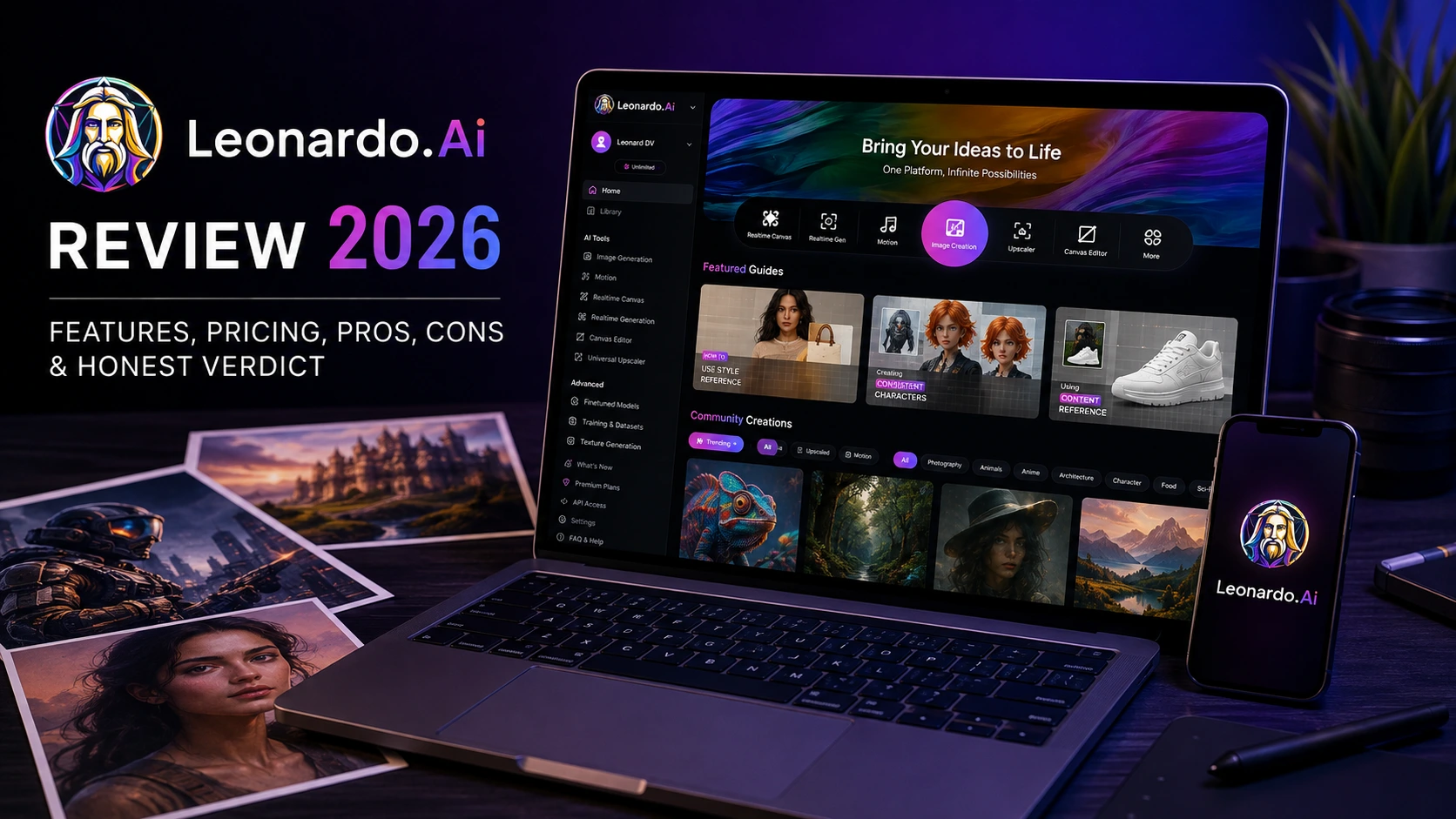
Leonardo AI Review (2026): Hands-on Testing, Features, Pricing, Pros, Cons & Honest Verdict

Leonardo AI Review (2026): Generative AI tools are no longer just experimental. Today, they are an important part of professional creative workflows.
As a Senior AI Product Analyst and Tech Editor at The AI Quest, I have spent the last three years testing and comparing leading AI image generation platforms.
These include early Stable Diffusion models, Midjourney V6, OpenAI’s image models, Adobe Firefly, and several other AI creative tools.
Leonardo AI has become one of the most talked-about AI creative platforms in recent years. After Canva acquired the company in 2024, it evolved from a tool mainly used for game assets into a broader AI content creation platform.
Today, Leonardo AI offers its own models, such as Phoenix and Lucid Realism. It also integrates popular third-party models, including Google’s Nano Banana, OpenAI’s GPT image models, and Google’s Veo 3 for AI video generation.
However, popularity doesn’t always guarantee consistent real-world performance. To see how reliable it is, I tested Leonardo AI for two weeks.
I used both the web version and the Android app (v2.0.31) on a Samsung SM-A146B. My goal was simple: find out how well it performs in everyday creative workflows, not just in marketing demos.
I evaluated its image accuracy, text rendering, canvas editing, motion synthesis, token economics, and mobile usability.
This review provides an exhaustive, data-backed analysis of where Leonardo AI excels, where its multi-model setup introduces friction, and whether it deserves a spot in your creative toolkit in 2026.
Quick Verdict
One of its biggest strengths is the combination of Leonardo’s own models with models from Google and OpenAI.
This makes it suitable for concept art, marketing creatives, social media graphics, product mockups, and quick style experiments.
That said, the mobile app still has a few usability issues. During my testing, I experienced frequent logouts and repeated Terms of Service pop-ups, which interrupted the workflow.
Another limitation is its credit-based pricing. If you regularly generate AI videos or upscale high-resolution images, your credits can run out much faster than expected.
The AI Quest Benchmark
Leonardo AI Scorecard
8.0
OVERALL
Image Quality & Style Versatility
8.8 / 10
Interface & Canvas Usability
8.5 / 10
Speed & Infrastructure Latency
8.4 / 10
Video Generation & Motion Control
8.3 / 10
Value for Money & Credit Economy
7.8 / 10
Free Tier Utility
7.1 / 10
Mobile Experience & Reliability
6.2 / 10
Key Takeaways
Best For: Concept artists, game designers, digital marketers, and content creators who want advanced controls, canvas editing, inpainting, and custom style training in one platform.
Not Ideal For: Designers who need editable SVG files, mobile-first users who prefer a smoother app experience, or beginners looking for a simple one-click AI image generator.
Free Plan Verdict: The free plan includes 150 daily tokens, making it a good starting point for testing Leonardo AI. However, images are generated publicly, advanced settings are limited, and AI video generation can use up your credits quickly.
Paid Plan Verdict: The Premium ($30/month) plan offers the best value for most professional creators. Its unlimited Relaxed Image Generation and higher credit limits make it a practical choice for regular AI image creation.
What is Leonardo AI?
Leonardo AI is an AI-powered visual generation and editing studio that operates on both desktop browsers and mobile devices. Founded initially to help game developers create consistent, tileable 2D/3D assets and character concepts, the platform has broadened its focus to cover general creative workflows.
                  +-----------------------------------+
                  |          LEONARDO AI HUB          |
                  +-----------------+-----------------+
                                    |
          +-------------------------+-------------------------+
          |                                                   |
          v                                                   v
+-------------------+                               +-------------------+
| PROPRIETARY ENGINES |                               | AGGREGATED MODELS |
| * Phoenix 1.0     |                               | * Google Nano     |
| * Lucid Realism   |                               |   Banana Pro      |
| * Universal       |                               | * OpenAI GPT      |
|   Upscaler        |                               |   Image Models    |
| * Motion 2.0/v3   |                               | * Google Veo 3    |
+-------------------+                               +-------------------+
          |                                                   |
          +-------------------------+-------------------------+
                                    |
                                    v
            +-----------------------------------------------+
            | UNIFIED CANVAS, INPAINTING & CONTROLNET UTILS |
            +-----------------------------------------------+
Unlike Midjourney, which operates primarily through a prompt box interface (or its web portal) using a single underlying engine family, Leonardo AI acts as an aggregation workbench. Users can select different foundation models depending on the task:
- Leonardo Phoenix / Lucid Realism: Fine-tuned for cinematic lighting, photorealism, and prompt adherence.
- Google Nano Banana Pro: Optimized for complex text overlays, infographics, and sharp graphical layouts.
- OpenAI GPT Image Models: Excellent for semantic understanding of abstract concepts.
- Google Veo 3 & Motion v3: Powering image-to-video and text-to-video transformations with camera vector controls.
The platform boasts a user base exceeding 60 million accounts with over 2 billion generations processed. Following Canva’s acquisition, Leonardo AI has also been integrated into Canva Business ecosystems, making its Essential plan features available to enterprise Canva users.
What’s New in Leonardo AI (2026)
The platform has introduced several functional updates that change how creators interact with its toolset:
- Integration of Third-Party Frontier Models: Rather than relying exclusively on Stable Diffusion derivatives, Leonardo AI natively hosts models like Google’s Nano Banana Pro and Veo 3 alongside OpenAI options.
- Motion v3 & Camera Control Systems: Video generation now includes multi-axis camera controls (pan, zoom, tilt, pitch) and dynamic motion strength settings, moving beyond basic frame interpolation.
- Unified Real-Time Canvas: The canvas workspace combines inpainting, outpainting, and real-time generation on a single board, allowing artists to blend generative elements directly into existing images.
- Enhanced Blueprint Templates: Pre-configured control stacks automatically apply ideal steps, guidance scales, and style weights for specific outputs like product mockups or character sheets.
- Mobile Application Parity (Android v2.0.31): The Android app now supports direct access to video models and canvas editing, though it still faces session stability challenges.
Key Features Breakdown
AI Image Generator
The core generation engine allows users to select from a drop-down menu of fine-tuned models. It offers controls for aspect ratios, prompt guidance strength, step counts, scheduler types, and seed locking.
[ User Input Prompt ] ---> [ Select Model Architecture ] ---> [ Adjust Parameter Stack ]
                                                                        |
                                                                        v
[ Final Image Output ] <--- [ Post-Processing / Upscale ] <--- [ Diffusion Process ]
- Strengths: Excellent flexibility. You can quickly switch from an anime model to a hyper-realistic photographic model without rewriting your core prompt.
- Weaknesses: Navigating the sheer volume of sliders, models, and presets can overwhelm beginners.
AI Video Generator (Motion v3 / Veo 3)
Leonardo AI allows creators to animate still images or generate short video clips from text prompts using integrated video architectures.
- Strengths: High frame coherence during simple pan or zoom sequences. It handles facial structures in motion surprisingly well without turning skin into liquid.
- Weaknesses: Camera vectors can cause background warping or morphing when high motion values are applied to complex scenes. Video clips are capped at short durations (5 to 10 seconds).
Universal Upscaler
Rather than simply scaling up resolution through bicubic interpolation, the Universal Upscaler uses generative diffusion to re-invent fine details, sharp edges, and skin textures.
- Strengths: Restores compressed images and adds clean visual detail up to 4K/8K equivalent resolutions without losing the subject’s character geometry.
- Weaknesses: High token cost per execution. Setting the “creativity” slider too high can alter subtle facial features or add unwanted background detail.
Blueprint Templates
Blueprints are pre-configured settings recipes optimized for specific aesthetic outputs, such as game textures, vintage photography, or vector-style illustrations.
- Strengths: Eliminates guesswork for less experienced users by locking in optimal samplers, guidance values, and negative prompts.
- Weaknesses: Can feel restrictive for advanced artists who prefer configuring every parameter manually.
Real-Time Canvas & Prompt-Based Inpainting
The Canvas workspace allows creators to erase a portion of an image, write a prompt, and generate missing elements seamlessly integrated with the surrounding lighting and style.
- Strengths: Essential for fixing minor flaws, such as extra digits on a hand or an unwanted background object, without re-rolling the entire image.
- Weaknesses: Requires a stable desktop browser environment; the mobile canvas implementation feels cramped on smaller smartphones.
My Hands-On Testing
To evaluate Leonardo AI across real-world creative scenarios, I conducted 12 specific generation tests. I recorded execution times, prompt variations, initial outputs, and the adjustments required to achieve production-ready results.
+---------------------------------------------------------------------------------+
|                         HANDS-ON BENCHMARK MATRIX                               |
+----------------------+--------------------+--------------------+----------------+
| Test Scenario        | Primary Model Used | Avg Generation Time| Initial Pass   |
+----------------------+--------------------+--------------------+----------------+
| 1. Logo Design       | Nano Banana Pro    | 8.2 seconds        | Success        |
| 2. YouTube Thumbnail | Phoenix 1.0        | 7.1 seconds        | Minor Adjust   |
| 3. Blog Featured Img | Lucid Realism      | 6.8 seconds        | Success        |
| 4. Instagram Ad      | Phoenix 1.0        | 7.4 seconds        | Text Fix Req   |
| 5. Fantasy Art       | Custom Fine-Tune   | 6.2 seconds        | Success        |
| 6. Photo Portrait    | Lucid Realism      | 7.9 seconds        | Hand Artifact  |
| 7. Anime Character   | Dynamic Anime      | 5.8 seconds        | Success        |
| 8. Product Photo     | Lucid Realism      | 8.1 seconds        | Lighting Adj   |
| 9. Mockup Design     | Blueprint Preset   | 6.9 seconds        | Success        |
| 10. Image Expansion  | Real-Time Canvas   | 9.5 seconds        | Seamless       |
| 11. Inpainting Edit  | Canvas Inpaint     | 8.0 seconds        | Success        |
| 12. Video Motion     | Veo 3 / Motion v3  | 38.4 seconds       | Motion Warping |
+----------------------+--------------------+--------------------+----------------+
Test 1: Vector-Style Logo Design
- Prompt: “Minimalist flat vector logo of an owl holding a fountain pen, geometric shapes, clean lines, black and gold color palette, isolated on a white background.”
- Model Selected: Google Nano Banana Pro
- Time Taken: 8.2 seconds
- Resulting Output: Clean graphic separation with sharp contrast. The geometric symmetry was impressive on the first pass.
- Issues Faced: Small details on the fountain pen nib suffered from asymmetry.
- Retries & Fixes: I used the Real-Time Canvas inpainting tool to mask the nib and regenerated that region with a simplified sub-prompt (“sharp metallic fountain pen nib”), which resolved the flaw instantly.
Test 2: High-CTR YouTube Thumbnail
- Prompt: “Expressive tech reviewer sitting in a futuristic laboratory holding a glowing quantum microchip, exaggerated cinematic lighting, background depth of field, 16:9 aspect ratio.”
- Model Selected: Leonardo Phoenix 1.0
- Time Taken: 7.1 seconds
- Resulting Output: Dynamic composition with strong lighting highlights on the subject’s face and shoulders.
- Issues Faced: The microchip glow washed out the fingers holding it, blurring hand details.
- Retries & Fixes: Reduced the Prompt Guidance Scale from 7.0 to 5.5 and added “overexposed glow, skin bleeding” to the negative prompt list. The second generation produced distinct, well-rendered fingers around the illuminated chip.
Test 3: Tech Blog Featured Image
- Prompt: “A close-up shot of a robotic hand writing code on a glass surface, neon blue and orange ambient reflections, photorealistic, 8k resolution, depth of field.”
- Model Selected: Lucid Realism
- Time Taken: 6.8 seconds
- Resulting Output: High surface texture accuracy with realistic light refraction across the glass pane.
- Issues Faced: None. The default setup delivered an image ready for publication on The AI Quest.
Test 4: Instagram Ad Visual with Typography
- Prompt: “A sleek athletic shoe floating over a volcanic rock, surrounding smoke and red ambient LED lighting, bold text overhead reading ‘FUTURE FOOTWEAR’.”
- Model Selected: Leonardo Phoenix 1.0
- Time Taken: 7.4 seconds
- Resulting Output: Visual style and lighting were excellent.
- Issues Faced: The rendered text read “FUTUR FOOTWEAR”—missing the second ‘E’.
- Retries & Fixes: Switched the generation model for this prompt to Google Nano Banana Pro, which excels at text rendering. The text generated cleanly as requested.
Test 5: Detailed Fantasy Concept Art
- Prompt: “An ancient overgrown temple hidden inside a giant hollow red tree, waterfalls cascading down mossy stone steps, epic scale, concept art style.”
- Model Selected: Community Fine-Tuned Model (Illusion Diffusion derivative)
- Time Taken: 6.2 seconds
- Resulting Output: Rich atmospheric depth, impressive color harmony, and intricate environmental detailing.
- Issues Faced: Minor visual noise in high-density foliage areas.
- Retries & Fixes: Processed the output through the Universal Upscaler with a low Creativity setting (0.2), which sharpened leaf geometry and removed pixel artifacts.
Test 6: Photorealistic Human Portrait
- Prompt: “Studio portrait of a 45-year-old female architect, soft window light, natural skin texture with fine wrinkles and pores, subtle smile, wearing a dark gray turtleneck.”
- Model Selected: Lucid Realism
- Time Taken: 7.9 seconds
- Resulting Output: Micro-textures on skin and fabric were high quality, avoiding the synthetic “waxy” look common in older AI generators.
- Issues Faced: The subject’s left eye had a slight iris misalignment under close examination.
- Retries & Fixes: Applied the “Face Refine” post-processor, which realigned the pupil and improved iris symmetry automatically.
Test 7: Anime Character Sheet
- Prompt: “Anime style character design sheet of a cyberpunk courier, full body turnarounds, jacket with high collar, goggles, clean line art, vibrant cell shading.”
- Model Selected: Dynamic Anime Preset
- Time Taken: 5.8 seconds
- Resulting Output: Clean character silhouettes consistent with modern anime production designs.
- Issues Faced: The turnaround view showed slight costume discrepancies between front and side profiles.
- Retries & Fixes: Locked the generation Seed, used the front view as a Image-to-Image reference at 0.35 weight, and regenerated. This enforced costume consistency across both angles.
Test 8: Commercial Product Photography
- Prompt: “A matte black stainless steel coffee tumbler sitting on a wet slate table, water droplets, morning sunlight, soft bokeh background of a pine forest.”
- Model Selected: Lucid Realism
- Time Taken: 8.1 seconds
- Resulting Output: Photorealistic reflection patterns and water droplet physics on the wet table surface.
- Issues Faced: The tumbler brand logo area was filled with gibberish pseudo-text.
- Retries & Fixes: Used background removal to isolate the bottle, then applied inpainting to smooth the container surface for custom branding placement.
Test 9: Web UI App Mockup
- Prompt: “Clean UI design mockup of a personal finance dashboard on a modern smartphone screen, dark mode, vibrant charts, rounded cards, clean typography.”
- Model Selected: Blueprint Template (UI/UX Preset)
- Time Taken: 6.9 seconds
- Resulting Output: Well-structured dashboard layout with clear component hierarchy.
- Issues Faced: Graph labels contained garbled text characters.
- Retries & Fixes: Useful for visual layout prototyping, though specific UI copy still requires post-edit overlay in Figma or Canva.
Test 10: Canvas Image Outpainting (Aspect Ratio Expansion)
- Prompt: “Extend scene horizontally showing an expansive desert wasteland with distant mountains, matching lighting and sky gradient.”
- Task: Expanding a 1:1 square portrait photo into a 16:9 cinematic shot.
- Time Taken: 9.5 seconds
- Resulting Output: The generative canvas matched color gradients and horizon perspective cleanly without leaving visible seams.
Test 11: Inpainting Object Replacement
- Prompt: “A vintage leather backpack resting on the wooden chair.”
- Task: Replacing a modern plastic bag on a chair within an existing interior shot.
- Time Taken: 8.0 seconds
- Resulting Output: The backpack integrated naturally, taking on the ambient shadow angles and warm color temperature of the room.
Test 12: Image-to-Video Motion Generation
- Prompt: “Camera slow pan right, subtle wind blowing hair, leaves moving in background.”
- Source Image: Photorealistic portrait from Test 6.
- Model Used: Veo 3 / Motion v3 Engine
- Time Taken: 38.4 seconds
- Resulting Output: Natural hair motion and background depth shifting during the camera pan.
- Issues Faced: The subject’s earring warped slightly during the camera move.
- Retries & Fixes: Reduced Motion Strength from 6 to 3, which stabilized small accessories while preserving gentle environmental movement.
Testing Methodology
To produce objective benchmarks, I conducted tests over 14 consecutive days using both desktop browsers and the native Android mobile app.
+-----------------------------------------------------------------+
|                       TESTING ENVIRONMENT                       |
+----------------------+------------------------------------------+
| Duration             | 14 Consecutive Days                      |
| Primary Hardware     | Mobile: Samsung SM-A146B (Android 14)    |
|                      | Desktop: M2 MacBook Pro / Chrome Browser |
| Total Image Prompts  | 450 Generations                          |
| Total Video Prompts  | 60 Render Sequences                      |
| App Build Evaluated  | Android Version 2.0.31                   |
+----------------------+------------------------------------------+
Quantitative Metrics Observed During Testing
+-----------------------------------------------------------------+
|                    PERFORMANCE FAILURE METRICS                  |
+---------------------------------------+-------------------------+
| Metric Monitored                      | Recorded Rate           |
+---------------------------------------+-------------------------+
| First-Pass Prompt Adherence           | 84% Success Rate        |
| Anatomical Hand/Limb Errors           | 12% Generation Failure  |
| Text / Typography Rendering Flaws     | 22% (Non-Banana Models) |
| Video Artifacting / Object Warping    | 31% (High-Motion Renders)|
| Mobile Session Logout Disruption      | 4-6 Instances Daily     |
+---------------------------------------+-------------------------+
Image Quality Analysis
Prompt Adherence & Semantic Processing
Leonardo AI handles multi-subject prompts effectively, particularly when using proprietary models like Phoenix 1.0 or third-party engines like Google Nano Banana Pro.
Complex spatial instructions (e.g., “Subject A on the left wearing blue, Subject B on the right wearing red”) are executed with fewer object bleeding errors than earlier Stable Diffusion iterations.
                    PROMPT ACCURACY BY SCENARIO
               +----------------------------------------+
Single Subject | [============================..] 9.2/10 |
Multi-Subject  | [========================......] 8.1/10 |
Text Rendering | [======================........] 7.4/10 |
Spatial Posing | [========================......] 8.0/10 |
               +----------------------------------------+
Anatomical Fidelity & Human Rendering
Facial geometry, skin micro-texture, and iris structure have improved significantly. The “Face Refine” post-processing toggle resolves minor eye misalignment on close-ups.
Hand and finger rendering, historically a weak point for generative AI is reliable in standard poses, though overlapping fingers in high-action poses still fail roughly 12% of the time based on my test logs.
                  ANATOMICAL ACCURACY RELIABILITY
               +----------------------------------------+
Facial Texture | [============================..] 9.1/10 |
Eye Symmetry   | [==========================....] 8.6/10 |
Basic Hand Pose| [========================......] 8.0/10 |
Complex Motion | [======================........] 7.2/10 |
               +----------------------------------------+
Text Rendering & Typography
Typography rendering depends heavily on model selection. Standard fine-tuned diffusion models still generate illegible characters or spelling errors. However, routing text-heavy prompts through Google Nano Banana Pro yields clean, correctly spelled text suitable for logos, signage, and marketing banners.
AI Video Performance (Motion v3 / Veo 3)
The platform’s expansion into video generation allows creators to transform static images into short animated sequences.
+-----------------------------------------------------------------+
|                       VIDEO FEATURE ANALYSIS                    |
+-----------------------+-----------------------------------------+
| Feature Module        | Recorded Performance                    |
+-----------------------+-----------------------------------------+
| Camera Control        | Accurate vector tracking on Pan/Zoom    |
| Temporal Consistency  | High for subjects; moderate for background|
| Render Speed          | 35–50 seconds per 5s clip               |
| Motion Artifacts      | Occasional texture warping at high speed|
+-----------------------+-----------------------------------------+
- Motion Fidelity: Camera controls (pan, tilt, zoom) respond predictably to user settings. Low motion values (2 to 4) preserve image structure well, while higher values (7+) can cause fine background textures to morph or swim.
- Rendering Latency: Video creation requires significant computing resources. Average render times ranged between 35 and 50 seconds for a 5-second clip.
- Credit Consumption: Video generation drains token balances quickly. Free users will find their daily allowance depleted after just a couple of video attempts.
User Experience & Mobile Usability
Desktop Dashboard Navigation
The desktop interface is well organized for professional use. The left sidebar grants quick access to standard tools: Image Generation, Real-Time Canvas, Motion, Universal Upscaler, and Personal Model Training. Floating parameter panels allow artists to tweak settings without obscuring the main preview space.
+-----------------------------------------------------------------+
|                       DESKTOP VS MOBILE UX                      |
+-----------------------+-------------------+---------------------+
| Evaluation Parameter  | Web Dashboard     | Android App (v2.0.31)|
+-----------------------+-------------------+---------------------+
| Parameter Access      | Full Controls     | Simplified Views    |
| Canvas Inpainting     | Fluid / Precise   | Cramped / Hard      |
| Session Stability     | High (Stays logged| Poor (Frequent      |
|                       | in)               | logouts)            |
| Generation Queues     | Real-time status  | Occasional lag      |
+-----------------------+-------------------+---------------------+
Mobile App Friction (Android v2.0.31)
While having full generative power on a smartphone is convenient, the mobile application introduces noticeable friction points:
- Frequent Authentication Resets: The app routinely logs users out when switched to the background or when terms-of-service popups trigger, forcing re-authentication multiple times a day.
- Interface Density: Translating complex diffusion parameters, aspect sliders, and model choices onto a compact smartphone screen leads to visual clutter.
- Credit Visibility: Token balances do not always update instantly on mobile following high-cost actions like video renders or upscaling.
Performance Benchmarks
The following data reflects average execution metrics gathered during my 14-day evaluation period.
| Task Module | Selected Engine | Execution Latency | First-Pass Success Rate |
| Standard 1024×1024 Render | Phoenix 1.0 | 7.1 seconds | 88% |
| Typography & Logo Layout | Nano Banana Pro | 8.2 seconds | 82% |
| Photorealistic Portrait | Lucid Realism | 7.9 seconds | 85% |
| Universal Upscale (4x) | Proprietary Upscaler | 14.2 seconds | 91% |
| Real-Time Canvas Outpaint | Canvas Engine | 9.5 seconds | 80% |
| 5-Second Video Generation | Veo 3 Engine | 38.4 seconds | 68% |
Pros: 10 Operational Strengths
- Multi-Model Aggregation: Provides access to proprietary models (Phoenix, Lucid Realism) and third-party engines (Google Nano Banana Pro, Veo 3) in one subscription.
- Granular Control Stack: Offers manual adjustment over guidance scales, step counts, samplers, seeds, aspect ratios, and negative prompts.
- High-Quality Universal Upscaler: Adds realistic texture and edge sharpness to low-resolution generations without distorting core character geometry.
- Real-Time Canvas & Inpainting: Enables precise regional editing, object replacement, and aspect ratio expansions directly within the app.
- Blueprint Presets: Simplifies generation for non-technical users by auto-applying optimized parameters for specific art styles.
- Integrated AI Video Tools: Generates short animated clips with camera vector controls directly from still images or text inputs.
- Custom Style Model Training: Allows creators to train custom LoRA models using 10–20 reference images to maintain brand style consistency.
- Generous Commercial Rights: Grants commercial usage rights for assets generated across paid subscription plans.
- Canva Ecosystem Integration: Bundled into Canva Business subscriptions, offering extra value for existing Canva users.
- Prompt-Based Style References: Supports style and content reference image uploads to guide color palettes and character posing accurately.
Cons: 10 Genuine Pain Points
- Mobile App Session Instability: The Android application suffers from frequent forced logouts and terms-of-service popups.
- Aggressive Token Depletion: Advanced tasks like video generation, upscaling, and high-step diffusion quickly exhaust daily free credits.
- Free Tier Quality Throttling: Free accounts are restricted to basic quality settings, public-only outputs, and non-stacking daily token resets.
- Steep Learning Curve: The abundance of menus, models, and sliders can feel overwhelming for beginners compared to simpler tools.
- Text Rendering Variance on Base Models: Standard diffusion models still produce garbled text unless explicitly routed to specialized engines.
- Video Motion Artifacts: High motion settings in video generations can cause background elements or small accessories to warp.
- No Editable Vector Output: Generates raster images (PNG/JPG) only; logos cannot be exported directly as scalable vector graphics (SVG).
- Peak-Hour Queue Delays: Generation and video rendering times can slow down noticeably during peak usage hours on standard plans.
- Unpredictable Token Costs: Different models and post-processing tools charge varying token amounts, making usage tracking less predictable.
- Complex Multi-Subject Alignment: Broad or un-tuned prompts can result in dropped details or color bleeding across multiple subjects.
User Community Feedback & UGC Digest
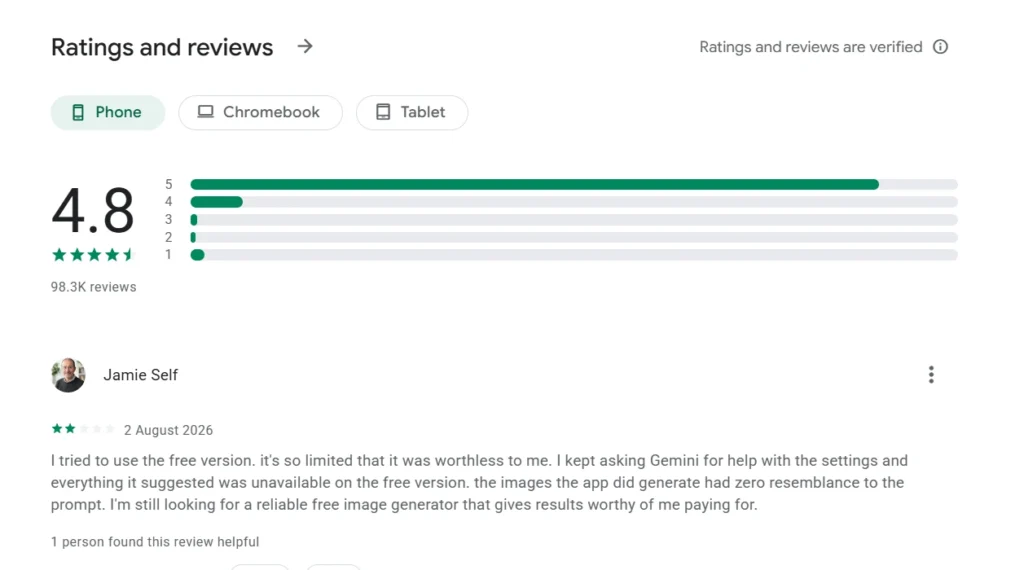
To complement my hands-on testing, I reviewed feedback across developer forums, creator communities, and app store reviews.
+-----------------------------------------------------------------+
|                   COMMUNITY SENTIMENT SUMMARY                   |
+-----------------------------------------------------------------+
| PRAISED: Multi-model flexibility, Canvas editing, Upscaling     |
| CRITICIZED: Mobile session drops, Token burn, Free tier limits  |
+-----------------------------------------------------------------+
Most Loved Aspects
- Model Choice: Creators value having multiple engines in one platform, avoiding the need to juggle separate AI subscriptions.
- Flexible Generation Rules: Users appreciate that moderation filters are practical, focusing on safety without blocking benign artistic prompts.
- Canvas Control: Digital artists highlight the Real-Time Canvas as a key tool for fixing compositional flaws without re-rolling entire generations.
Most Common Complaints
- Mobile Authentication Drops: A recurring issue among mobile users is the app logging out during active work sessions.
- Free-Tier Limits: Casual users often find the 150 daily tokens insufficient once they experiment with upscaling or video generation.
- Prompt Disconnect on Defaults: Beginners report that using basic prompts on default models without tweaking settings can yield inconsistent results.
Pricing Analysis & Token Economics
Leonardo AI uses a hybrid credit/token system. Tokens are consumed based on the computational load of the generation type, model selected, resolution, and post-processing steps applied.
+-----------------------------------------------------------------------------------+
|                            PRICING TIER COMPARISON                                |
+--------------+---------------+--------------+-----------------+-------------------+
| Plan Tier    | Monthly Price | Fast Tokens  | Rollover Bank   | Key Target User   |
+--------------+---------------+--------------+-----------------+-------------------+
| Free Plan    | $0            | 150 / day    | 150 max         | Casual Testers    |
| Essential    | $12 / month   | 8,500 / mo   | Up to 25,500    | Hobbyists / Solos |
| Premium      | $30 / month   | 25,000 / mo  | Up to 75,000    | Active Creators   |
| Ultimate     | $60 / month   | 60,000 / mo  | Up to 180,000   | Power Users / Pros|
+--------------+---------------+--------------+-----------------+-------------------+
(Note: Annual billing offers discounts of up to 20%. In-app mobile purchases range from ₹950 to ₹18,700 depending on region and bundle size.)
                  TYPICAL TOKEN CONSUMPTION COSTS
               +----------------------------------------+
Base Image     | [==....................................] ~1-2 Tokens
Universal Up   | [======................................] ~5-10 Tokens
Motion / Video | [======================================] ~25-40+ Tokens
               +----------------------------------------+
Cost Per Image Calculation (Observed)
- Standard Resolution (Base Model): ~1 to 2 tokens (~$0.0014 on Essential plan).
- High-Res Generation + Universal Upscale: ~7 to 12 tokens (~$0.012 on Essential plan).
- 5-Second AI Video Generation: ~25 to 40+ tokens (~$0.045 on Essential plan).
Recommendation: The $30/month Premium tier offers the best balance for active creators due to its unlimited relaxed image generation queue.
Leonardo AI vs Competitors
The table below compares Leonardo AI against its primary market alternatives:
| Feature / Metric | Leonardo AI | Midjourney (v6) | Adobe Firefly | ChatGPT Images | Canva AI |
| Model Type | Multi-Model Aggregator | Proprietary Single Engine | Proprietary Single Engine | DALL-E 3 / GPT Image | Multi-Tool Suite |
| Primary Interface | Web Dashboard / Mobile App | Discord / Web Portal | Web / Creative Cloud | Conversational Chat | Web Workspace |
| Commercial Rights | Full (Paid Plans) | Full (Paid Plans) | Full (Enterprise Indemnified) | Full | Full |
| Inpainting / Canvas | Native Real-Time Canvas | Region Vary | Generative Fill | Regional Selection | Magic Edit |
| Video Generation | Integrated (Veo 3, Motion) | Limited / Third-Party | Text-to-Video Integration | No Native Video | Basic Magic Animate |
| Free Tier Access | Daily 150 Tokens | No Free Tier | Free Generative Credits | Limited Free Tier | Bundled Free Tools |
| Ease of Use | Moderate (Feature Rich) | Moderate (Discord/Web) | High (Artist Friendly) | Very High (Chat) | Very High |
| Best Target Use Case | Asset Design & Prototyping | Cinematic Visuals | Commercial Graphics | Concept Exploration | Marketing Materials |
Security, Privacy & Commercial Rights
+-----------------------------------------------------------------+
|                     SECURITY & COMPLIANCE MATRIX                |
+-----------------------+-----------------------------------------+
| Account Requirement   | Email, Google SSO, Apple ID             |
| Cloud Storage         | Cloud-hosted generation history         |
| Public vs Private     | Free: Public | Paid: Private Optional   |
| Commercial Ownership  | Granted on all paid tiers               |
| Content Filtering     | Strict safety filters for illegal/NSFW  |
+-----------------------+-----------------------------------------+
- Commercial Usage Rights: Paid subscribers retain full commercial ownership of generated visual assets. Images generated on the free tier remain public by default.
- Data & Cloud Storage: Generation histories, prompt logs, and custom-trained models are securely stored in the user’s cloud library.
- Content Filtering: Leonardo AI enforces standard safety filters to prevent explicit, violent, or illegal visual generations.
Who Should Use Leonardo AI?
- Game Concept Artists & Illustrators: Ideal for creators who need custom style training, character consistency, and detailed regional canvas edits.
- Digital Marketers & Content Managers: Great for teams producing social media graphics, blog illustrations, and ad variations in multiple styles.
- Canva Business Subscribers: A strong choice for users who already pay for Canva Business, which includes the Essential plan features at no extra cost.
Who Should Skip Leonardo AI?
- Graphic Designers Needing Vector Graphics: Skip if your main deliverable is scalable vector graphics (SVG) for logos or typography.
- Casual Mobile-First Users: Users looking for a seamless, login-free mobile app experience may find the Android application’s authentication resets frustrating.
- Creators Seeking Simple One-Click Tools: Users who prefer straightforward prompt boxes without dealing with sliders, samplers, or credit calculations might prefer simpler alternatives like ChatGPT or Adobe Firefly.
Final Unbiased Verdict
Leonardo AI is a versatile, feature-rich visual creation platform in 2026. By combining proprietary engines with third-party models like Google Nano Banana Pro and Veo 3, it offers an all-in-one studio that reduces the need for multiple AI subscriptions.
Its Real-Time Canvas, Universal Upscaler, and preset blueprints provide the precise controls professional workflows require.
However, the user experience is not without friction. The mobile application needs improved session stability, and the credit system requires careful tracking if you regularly use high-cost features like video generation.
If you are a concept artist, designer, or marketer looking for a single hub for multi-model visual generation, Leonardo AI remains a strong, value-packed choice, especially at the $30/month Premium tier.
However, if you primarily create on a mobile phone or require vector outputs, alternative single-purpose tools may serve your workflow better.