Invideo AI Review: Why Is It Becoming a Game-Changer for Video Creators?
Turn simple prompts into engaging videos in minutes. Learn how InVideo AI works, its key features, credit costs, and if you can monetize your videos.

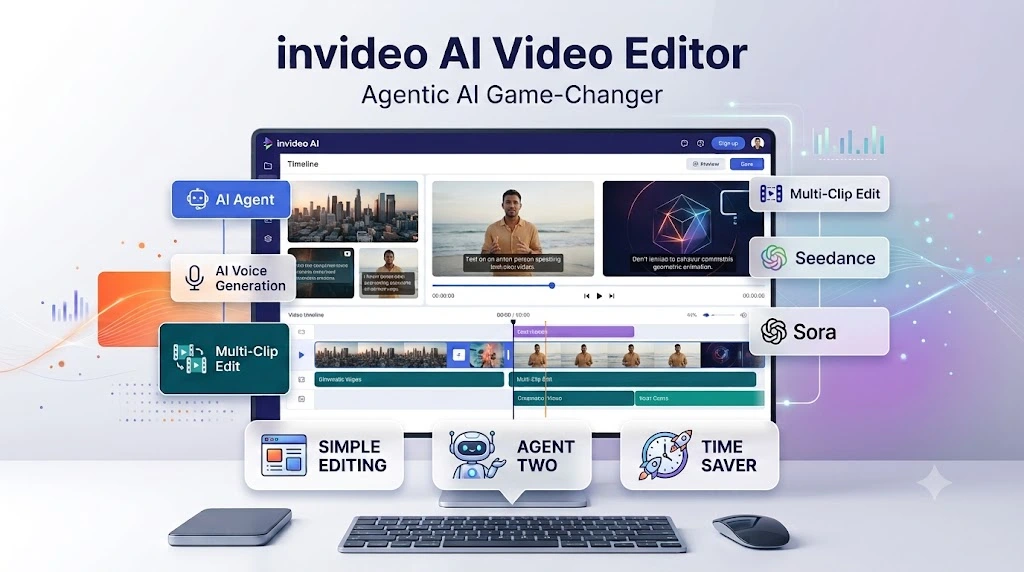
InVideo AI is an Agentic AI Video Editor that helps with video editing, finding footage, and making changes to multiple clips using simple commands.
- Agent Two lets you edit videos without learning complex editing software.
- AI memory helps you quickly find specific scenes in long footage.
- You can edit multiple clips at the same time with one command.
- It also offers team collaboration, script writing, and storyboard features.
- InVideo supports several AI models, with paid plans starting at $9.
In today’s digital world, video content is king. Whether it is social media reels, YouTube videos, brand ads, or short films, every creator and marketer wants to produce engaging videos.
However, spending hours sorting raw footage, learning complex editing software, and manually placing clips on a timeline can quickly become exhausting.
To solve this problem, invideo introduced its advanced Agentic AI Video Editor, designed to make video editing smart, simple, and effortless.
Here is an overview of how this AI tool works, its top features, pricing, pros and cons, and common questions to help you understand if it fits your workflow.
Key Features of InVideo AI
1. Agentic AI: The Power of Agent Two
InVideo’s new Agent Two is more than an editing tool; it acts like a virtual co-editor.
You simply describe the changes you want in plain words, and the AI applies the edits directly to the timeline. You do not need to be a prompt-engineering expert to use it.
2. Built-in AI Memory
The editor remembers and understands your entire footage library.
If you need a specific moment from hours of raw recordings, describe the scene in text, and the AI will locate the exact section and place it onto your timeline.
3. Bulk Clip Editing
If you have 40–50 clips and need to cut awkward pauses or match the color grading across all of them, you do not have to edit each one manually.
A single command applies the adjustments across multiple clips simultaneously.
4. Seamless Team Collaboration
For teams creating content together, InVideo allows real-time collaboration on the same project.
Producers, editors, scriptwriters, and sound designers can leave comments and suggest changes in one shared workspace.
5. From Script to Storyboard
InVideo covers the entire pre-production and production workflow:
- Storyboarding: Plan every shot visually before filming or generating assets.
- Script Writing: Generate and refine your narrative using an AI co-writer.
- Custom AI Agents: Assign specialized AI agents for distinct roles like cinematography, sound design, and color grading.
Support for Top AI Video and Image Models
InVideo integrates multiple industry-leading generation models inside one platform.
It supports video and image engines like Seedance 2.0/2.5, Nano Banana Pro, Google Veo, and Sora, paired with natural voice synthesis powered by ElevenLabs.
InVideo Plans and Pricing
InVideo offers tiered plans tailored to different production scales (billed annually):
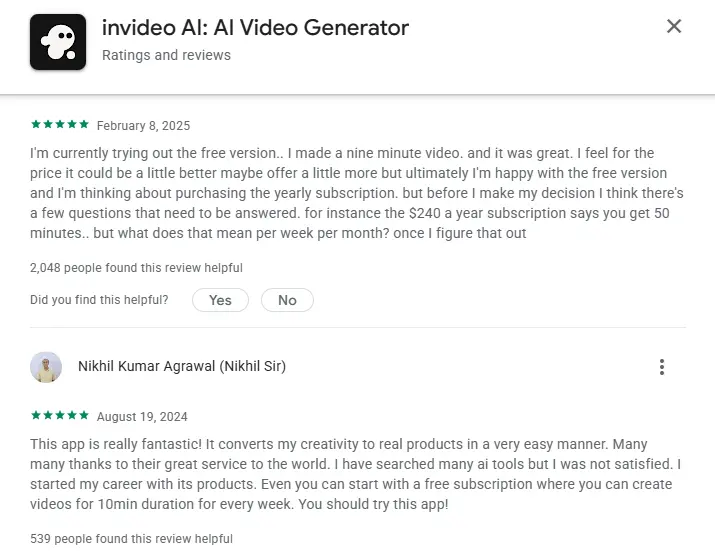
- Basic Plan – $9/month: Includes 190 credits, the timeline editor, and 10 GB of storage. Ideal for beginners.
- Pro Plan – $25/month: Includes 1,000 credits, access to Seedance models, Agent Two, and 30 GB of storage. Designed for active creators.
- Ultra Plan – $60/month: Includes 3,000 credits, 80 GB of storage, and a lower per-credit cost. Best suited for high-volume video pipelines.
Pros and Cons
| Pros | Cons |
| Create finished videos in 10–15 minutes without prior editing skills. | AI credits can deplete quickly during heavy revisions. |
| Browser-based cloud tool; runs smoothly without high-end PC hardware. | The free tier output can feel overly generic. |
| Large built-in library of royalty-free music and sound effects. | Live human customer support can be difficult to reach. |
| Batch-edits multiple clips with a single command. | Mixed user feedback regarding refund policies. |
| Integrates multiple top-tier AI video, image, and voice models. | Timeline playback can lag on slow or unstable internet connections. |
InVideo AI effectively removes the repetitive, time-consuming grunt work of video editing. By automating cutdowns, b-roll placement, and voiceovers, it lets solo creators and teams focus on storytelling, concept development, and creative direction.
Frequently Asked Questions (FAQ)
1. Is InVideo AI completely free?
No. InVideo offers a free tier to test the platform, but it has strict export limits and includes a visible watermark.
Exporting clean, high-resolution videos requires a paid plan.
2. Can I monetize YouTube channels made with InVideo AI?
Yes, but relying purely on automated, unedited AI output can risk low-quality or repetitive content flags.
To ensure successful monetization, add your own original script tweaks, personal commentary, custom voiceover, or unique edits.
3. How does InVideo AI work?
You provide a prompt, brief, or script. The AI automatically compiles matching footage, generates visuals, sets up a voiceover, and adds captions.
Once generated, you can fine-tune every element directly on the timeline.
4. How do InVideo credits work?
Credits are consumed when generating videos, scripts, voices, or applying AI-driven revisions.
Each monthly plan provides an allotment of credits; generating multiple complete re-takes will exhaust them faster.
5. Is InVideo AI suitable for beginners?
Yes. It eliminates the steep learning curve required by complex NLEs like Adobe Premiere Pro or Final Cut Pro, making it especially effective for faceless channels, social media shorts, and everyday marketing content.