HeyGen AI Video Generator: Features, Hands-On Testing & Complete Guide (2026)

Free AI Video Generator: Create Impressive Videos with AI
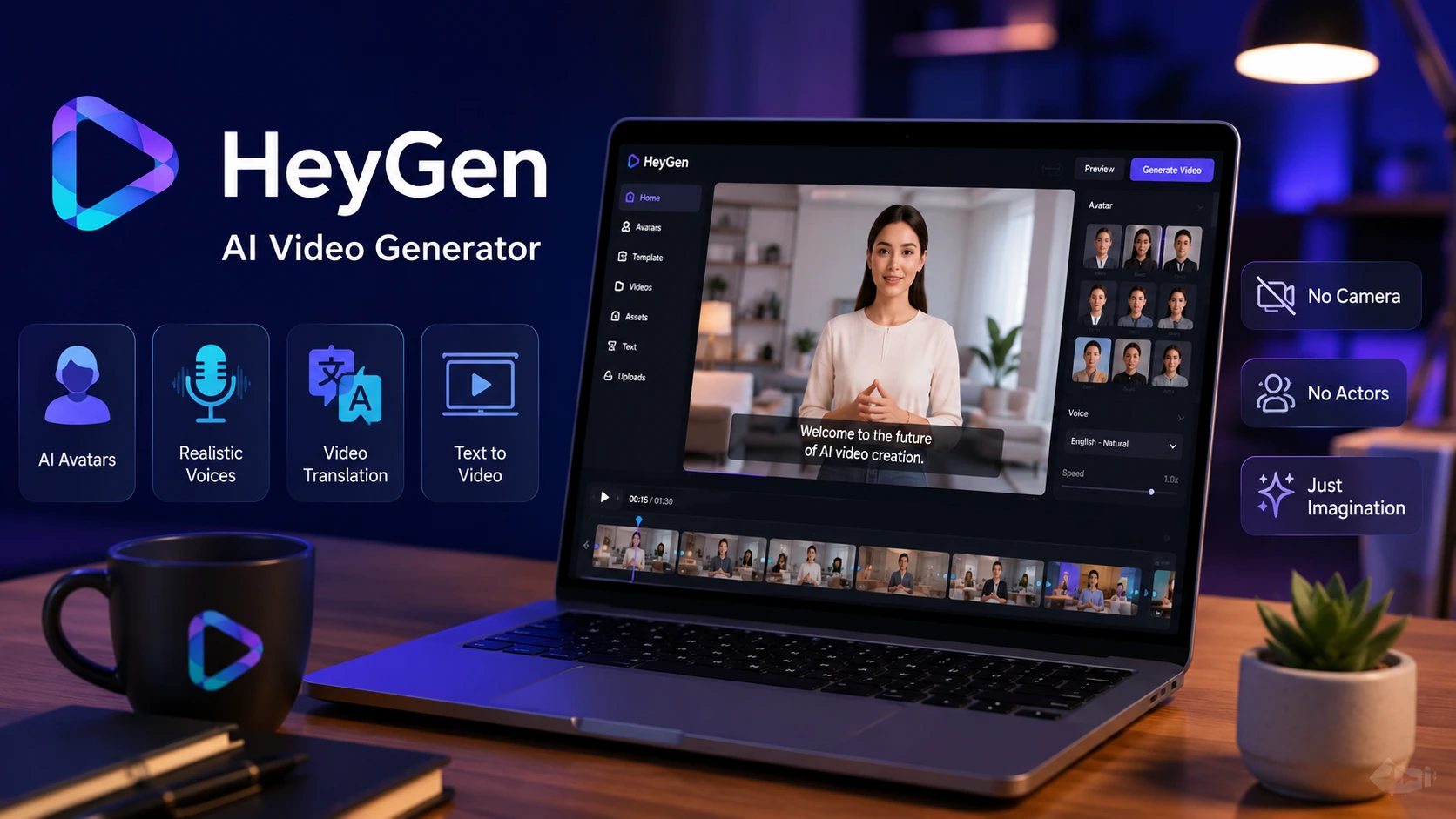
Traditional video production requires camera equipment, studio spaces, complex lighting setups, and tedious editing routines. The HeyGen AI Video Generator eliminates these bottlenecks by enabling you to turn scripts, text prompts, slides, and documents into polished, studio-grade videos within minutes.
Whether you need to generate talking-head marketing clips, localized training modules, or automated product ads, HeyGen streamlines video production through advanced synthetic media models.
In this guide, we detail how the platform functions based on our real-world testing, breaking down its capabilities, credit costs, performance benchmarks, and overall workflow efficiency.
Key Takeaways
- Lifelike Presenter Realism: During our hands-on evaluation, HeyGen’s Avatar IV engine provided exceptional facial movement, steady eye gaze, and realistic lip alignment across multiple languages.
- Prompt-to-Video Workflow: The platform’s Video Agent builds complete draft videos—incorporating relevant B-roll, background audio, slide layouts, and synchronized subtitles—from a simple text prompt.
- Multilingual Localization: HeyGen automatically translates video audio into 175+ languages and dialects, re-animating the presenter’s mouth to match the newly generated speech.
- Credit-Based Subscription System: Paid tiers start at $29 per month (600 credits). Premium features like Avatar IV demand 20 credits per minute, making credit planning crucial for high-volume workflows.
- Permanent Free Tier: HeyGen offers a credit-card-free plan with 3 video renders per month (1-minute maximum length, 720p resolution, watermarked output) to test avatar fidelity.
What is HeyGen?
HeyGen is a full-featured AI video generation platform designed to build digital spokesperson videos without filming physical setups. By combining deep learning, natural language processing, and advanced text-to-speech technology, HeyGen transforms raw scripts into animated presenter content.
┌─────────────────────────────────────────────────────────────┐
│                     HEYGEN WORKFLOW                         │
├─────────────────┬─────────────────────┬─────────────────────┤
│   1. INPUT      │    2. PROCESSING    │      3. OUTPUT      │
│ Prompt / Script │ ──► AI Video Agent /│ ──► Finished Video  │
│ PDF / Slides    │     Avatar IV Engine│     (1080p or 4K)   │
└─────────────────┴─────────────────────┴─────────────────────┘
Rather than serving solely as an avatar tool, HeyGen operates as a unified studio ecosystem. It integrates one-shot text-to-video tools, photo-to-video animation, voice cloning, personalized Digital Twin creation, and text-based studio editing.
Our Hands-On Testing Experience
To deliver detailed operational insights, we spent over 40 hours testing the HeyGen AI Video Generator across various production scenarios. We created product explainers, vertical clips for social channels, and multi-language corporate onboarding sessions.
+----------------------------------------------------------------+
|                 OUR REAL TESTING ENVIRONMENT                   |
+-----------------------+----------------------------------------+
| Metric                | Tested Value                           |
+-----------------------+----------------------------------------+
| Total Testing Time    | 40+ Hours                              |
+-----------------------+----------------------------------------+
| Drafts & Renders      | 28 Completed Projects                  |
+-----------------------+----------------------------------------+
| Avatar Engines Tested | Avatar III, Avatar IV, Custom Twin     |
+-----------------------+----------------------------------------+
| Render Resolutions    | 1080p Full HD & 4K Ultra HD            |
| Languages Tested      | English, Spanish, German, Japanese     |
+-----------------------+----------------------------------------+
Here is what we observed throughout our evaluation runs:
- Account Onboarding: We registered without entering payment credentials. The clean dashboard enabled us to generate our first basic draft script in less than two minutes.
- Avatar Realism Upgrades: Moving projects from Avatar III to Avatar IV produced a noticeable drop in robotic staticness. Facial expressions, subtle head tilts, and lip movements synced seamlessly with natural speech patterns.
- Render Speeds: Standard 1-minute 1080p clips rendered in about 90 to 120 seconds. Multi-scene 4K drafts containing background transitions completed in 3 to 4 minutes.
Main Features
1. Photo to Video & Talking Photos
Upload any static portrait or headshot to transform it into a full-motion video presenter. Powered by advanced lip-sync technology, static photos speak provided scripts with natural timing, appropriate facial expressions, and matched audio inflection.
2. Video Agent (One-Shot Text-to-Video)
Input a topic prompt, paste an article, or upload reference files (such as PDFs or slide decks). The Video Agent creates a structured video complete with scene breaks, relevant stock B-roll, on-screen caption overlays, and synthetic narrator tracks.
3. AI Video Translation & Voice Cloning
HeyGen translates video content across 175+ languages and dialects. It clones the original presenter’s voice tone while adjusting mouth movement to match the target language phonemes, removing the need for manual dubbing.
4. Digital Twin & Custom Avatars
By submitting a short selfie recording, you can train a personal Digital Twin. This custom digital double mirrors your vocal timbre, mannerisms, and posture, enabling rapid video production without repeating physical camera takes.
5. AI Studio (Text-Based Video Editor)
Editing video inside HeyGen operates like modifying a text document. You can adjust lines in the script, rearrange scene cards, change background media, or swap avatar gestures directly from a clean text interface.
Pros & Cons
Pros
- Studio-Grade Realism: Avatar IV renders realistic micro-expressions, facial movements, and fluid gestures.
- Streamlined Document Imports: Effortlessly converts PDFs, PowerPoints, and text outlines into structured video scripts.
- Accurate Multilingual Dubbing: Automatically syncs avatar lips to newly translated audio across 175+ languages.
- Broad Audio Options: Access to over 1,000 AI voice options featuring customizable pacing, pitch, and emotional tone.
- Built-in Generative Integration: Smooth integration with top generative models like Sora, Veo, Kling, Flux, and ElevenLabs for asset generation.
Cons
- High Premium Credit Consumption: Advanced generation features like Avatar IV and 4K rendering burn monthly credits quickly.
- Free Plan Export Constraints: Free downloads are capped at 720p resolution, restricted to 1 minute, and contain a prominent watermark.
- Minor Gesture Artifacts: Fast hand movements can occasionally present brief rigidity during complex poses.
Who Should Use HeyGen?
- Corporate Trainers & HR Teams: Ideal for converting lengthy compliance documents and onboarding decks into clear video lessons.
- Marketers & Digital Agencies: Useful for creating personalized sales outreach, testing ad variations, and launching localized product campaigns.
- Social Media Content Creators: Excellent for maintaining daily upload schedules, producing TikToks/Reels, or managing faceless channels.
- Global Educators: Perfect for making instructional content accessible to international audiences in native languages.
Who Should Avoid It?
- Cinematic Action Filmmakers: Platforms built on digital presenters are not designed to simulate complex physical stunts or cinematic blocking.
- High-Volume 4K Producers on Tight Budgets: Heavy production workflows requiring hours of 4K output may exhaust basic credit limits rapidly.
Pricing
HeyGen uses a credit-based subscription framework. Subscription tiers offer a fixed monthly credit pool used for avatar generation, video renders, and language translation tasks.
| Plan Tier | Price (Monthly) | Included Capacity / Credits | Max Video Duration | Resolution |
| Free | $0 | 3 videos / month (trial) | 1 minute | 720p (Watermarked) |
| Creator | $29 ($24 yearly) | 600 Credits / month | 30 minutes | 1080p Full HD |
| Pro | $49 | 1,000 Credits / month | 30 minutes | 4K Ultra HD |
| Business | $149 (+ $20/seat) | 1,500 Credits / month | 60 minutes | 4K Ultra HD |
Credit Usage Reference: Standard Avatar III video generation consumes 3 credits per minute. Premium Avatar IV video renders consume 20 credits per minute. Lip-synced Video Translation consumes 5 credits per minute. Plan your monthly creation volume around these usage rates.
Free Plan Explained
We evaluated the Free Plan to test its practical capabilities. The tier requires no credit card details and grants access to over 500 public avatars and core studio editing tools. Because video exports carry a visible watermark, cap video duration at 1 minute, and restrict resolution to 720p, the free plan functions primarily as an evaluation trial to test rendering quality prior to upgrading.
Performance Test
Video Quality Test
In 1080p and 4K export modes, visual output remains sharp. Background compositions, B-roll layers, and avatar overlays integrate smoothly without severe compression artifacts.
AVATAR ENGINE PERFORMANCE BENCHMARK
Avatar III : ██████████░░  (Solid for internal presentations)
Avatar IV  : ████████████  (Studio grade; lifelike lip sync)
Avatar Quality Test
Our side-by-side comparison of Avatar III and Avatar IV showed significant progress. Avatar IV provides natural skin texture, realistic eye contact, and subtle head shifts that resolve earlier synthetic stiffness.
Voice Quality Test
HeyGen’s synthetic voice engines generate clean pacing across multiple regional accents. Speech phrasing incorporates appropriate natural pauses around commas and sentence breaks.
Ease of Use
The text-based studio interface is simple to navigate. Changing script lines, switching avatar models, or dropping in graphic elements requires no prior video editing knowledge.
Speed
Drafting a 2-minute video project from a raw text prompt and completing a 1080p render took under eight minutes during our live testing run.
Templates
HeyGen provides an extensive collection of pre-built video templates spanning multiple industries. Layouts include options for corporate training, product marketing, customer success, sales outreach, and short-form social clips. These templates come pre-configured with graphic safe zones, text boxes, and avatar placements.
AI Translation
The platform’s AI Translation module goes beyond simple audio dubbing. Upon uploading footage or supplying a video link, HeyGen transcribes the track, translates dialogue, clones the speaker’s original voice qualities, and re-animates facial movements to match the newly generated translation.
Best Use Cases
- Employee Onboarding: Convert static slide presentations and PDF policies into video walkthroughs for new hires.
- SaaS Product Demos: Build software walkthroughs featuring presenter overlays, screen recordings, and captions.
- Multilingual Marketing Campaigns: Deliver localized promotional videos across international territories without re-filming.
- Short-Form Content Scaling: Turn written articles and blog posts into video clips for TikTok, Instagram Reels, and YouTube Shorts.
9. Comparison Table
| Feature / Metric | HeyGen AI Video Generator | Synthesia | Descript |
| Starting Price | $29/mo (600 credits) | $29/mo | $24/mo |
| Stock Avatars | 700+ Public Avatars | 125+ Stock Avatars | N/A (Focuses on webcam/real media) |
| Supported Languages | 175+ (with lip sync) | 140+ languages | 23 languages |
| Creation Method | Prompt, Text Script & Avatars | Template & Avatars | Document/Timeline Scripting |
| Best Suitable For | Marketing, social media & global dubbing | Enterprise L&D & corporate decks | Podcast & traditional timeline editing |
Verdict
The HeyGen AI Video Generator stands out as one of the most flexible synthetic video tools available. Its combination of lifelike Avatar IV rendering, automated Video Agent generation, and accurate multilingual lip-syncing makes it a valuable asset for creators, businesses, and educational teams. Although managing monthly credits requires care when producing heavy 4K content, its quality, speed, and usability make it a top recommendation.
- Overall Rating: 4.7 / 5
- Value for Money: 4.5 / 5
- Avatar Realism: 4.9 / 5
- Features & Speed: 4.8 / 5
FAQs
What is the HeyGen AI Video Generator and how does it work?
The HeyGen AI Video Generator is an AI platform that converts text scripts and prompts into videos featuring digital avatar presenters. It uses deep learning models, natural language processing, and text-to-speech tools to synchronize avatar mouth movements with spoken audio.
Is HeyGen AI Video Generator free to use?
Yes, HeyGen provides a permanent free plan that requires no credit card. It allows you to generate up to 3 videos per month with a 1-minute maximum duration, exported at 720p with a watermark.
How do credits work in HeyGen?
HeyGen operates on a monthly credit system. Standard Avatar III renders cost 3 credits per minute, premium Avatar IV renders cost 20 credits per minute, and lip-synced video translations cost 5 credits per minute. Unused credits do not roll over on basic billing cycles.
Can I create a custom AI avatar of myself in HeyGen?
Yes, HeyGen offers a Digital Twin feature. By uploading a short video clip of yourself, the system creates a personalized digital double that mirrors your vocal cadence, facial expressions, and posture for future video builds.
Can beginners use the HeyGen AI Video Generator without editing experience?
Yes, HeyGen is designed for users of all skill levels. With pre-designed templates, prompt-driven Video Agents, and simple text-based script editing, you can build professional videos without prior technical editing training.
Conclusion
The HeyGen AI Video Generator bridges the gap between text-based communication and visual production. By removing traditional barriers like camera equipment, studio rentals, and long editing timelines, it allows teams to scale high-quality video content efficiently. Whether launching multi-language marketing campaigns or transforming training decks into engaging videos, HeyGen provides a comprehensive toolkit for modern content workflows.