Best AI Tools for Small Businesses in India (2026): My Honest Hands-on Review


Running a small business in India has never been more exciting, or more exhausting. Whether you are managing a kirana store, a digital agency, an e-commerce shop, or a consultancy, you know the daily grind: managing inventory, answering customer calls on WhatsApp at 11 PM, chasing pending GST invoices, and trying to keep up with social media marketing.
When I founded The AI Quest, my primary goal was to test artificial intelligence tools in real-world scenarios to see if they genuinely solve operational problems or if they are just over-hyped marketing pitch decks. Over the past several months, my team and I integrated dozens of AI tools directly into our day-to-day operations, handling real client communication, content creation, invoice generation, and customer support workflows.
The verdict? AI is no longer just for massive enterprises with multi-crore IT budgets. In 2026, accessible, cost-effective, and India-friendly AI software can effectively act as your extra team members—working 24/7 at a fraction of a full-time salary.
In this hands-on review, I break down the 10 best AI tools for small businesses in India. I will share what worked, what failed, exact pricing in INR (or USD equivalents), and who should—or shouldn’t—use each tool.
Quick Comparison Table
| Tool | Best For | Free Plan | Starting Price | Overall Rating | Indian Business Friendly |
| ChatGPT | General Business Tasks, Writing & Coding | Yes (GPT-4o mini) | ~₹1,650/mo ($20) | 4.8 / 5 | Yes (Supports Hindi & Regional Languages) |
| Google Gemini | Google Workspace Integration & Live Search | Yes | ~₹1,950/mo (Advanced) | 4.7 / 5 | Excellent (Deep Google Ecosystem Sync) |
| Vyapar AI | GST Billing, Inventory & Payment Tracking | Yes (Basic Mobile) | ₹2,399/year | 4.8 / 5 | Built for India (UPI & Tally Sync) |
| Zoho Zia | Native CRM & Workflow Agentic Automation | Free Trial | ₹1,300/user/mo | 4.6 / 5 | Native Indian ERP/CRM Platform |
| Freshworks Freddy AI | Omnichannel Customer Support & Ticketing | Free Trial | ~$29/agent/mo | 4.5 / 5 | Indian Multinationals Standard |
| Tidio AI (Lyro) | E-commerce & Web Chatbot Automation | Yes (50 chats) | ~$29/month | 4.4 / 5 | High (Integrates with Shopify/WooCommerce) |
| Canva AI | Marketing Creatives & Social Media | Yes | ₹3,999/year (Pro) | 4.9 / 5 | High (Localized Templates & Fonts) |
| HubSpot AI | Inbound Marketing & Lead Management | Yes (Starter) | ~$15/seat/mo | 4.3 / 5 | Moderate (Priced higher for scaling teams) |
| Notion AI | Knowledge Management & SOP Drafting | Yes | ~$8/user/mo | 4.5 / 5 | High (Great for Remote & Digital Teams) |
| Intercom AI (Fin) | Enterprise-Grade Support Automation | Free Trial | $0.99/resolved resolution | 4.2 / 5 | Moderate (Best for VC-funded Startups) |
1. ChatGPT (OpenAI)
“The ultimate multi-utility digital assistant every business owner must have.”
Overview
OpenAI’s ChatGPT remains the benchmark for generative AI. In 2026, with GPT-4o capabilities, deep file analysis, and real-time web browsing, it operates as a full-fledged operational co-pilot for small businesses.
Hands-on Experience
I used ChatGPT Plus to draft client proposals, write high-converting WhatsApp marketing broadcasts, analyze bulk sales data from CSV spreadsheets, and write Python scripts to clean up subscriber lists. What impressed me most during testing was its capability in regional languages: drafting customer reply templates in clear Hindi and conversational Hinglish saved our customer service team hours every week.
Best Features
- Custom GPTs: You can upload your company’s product catalog or FAQ document and build a private AI bot for internal staff.
- Data Analysis: Upload raw Excel sheets, sales reports, or expense logs, and ask ChatGPT to generate visual charts and trend insights instantly.
- Multilingual Translation: Effortlessly translates English marketing copy into natural-sounding Hindi, Tamil, Telugu, and Marathi.
Pros & Cons
- Pros: Highly versatile, fast execution, incredible brainstorming partner, cheap for the value it delivers.
- Cons: Can occasionally hallucinate facts if not given clear context; requires good prompt structure for specific outputs.
Pricing
- Free Plan: Free access to GPT-4o mini and limited daily access to GPT-4o.
- ChatGPT Plus: ~$20/month (~₹1,650/mo + GST).
- Who Should Use It: Everyone—from solo freelancers to digital agencies and retail shop managers.
- Who Should Avoid It: Businesses needing direct offline hardware integration or automatic GST ledger posting without APIs.
- Indian Business Suitability: Excellent. Handles multi-language contexts smoothly and accepts Indian credit/debit cards and international UPI options.
- Our Verdict: 9.6 / 10 — The first AI subscription every Indian small business should buy.
2. Google Gemini
“The best AI tool for businesses running on Gmail, Google Docs, and Sheets.”
Overview
Google Gemini is Google’s flag-bearer AI, deeply embedded inside Google Workspace. If your company relies on Gmail, Google Drive, Google Sheets, and Docs, Gemini acts as an embedded productivity engine.
Hands-on Experience
During my testing, Gemini’s biggest advantage was real-time Google Search integration and direct Workspace access. I could open a blank Google Doc and ask Gemini to draft a supplier agreement, or summarize a 40-page PDF residing in my Google Drive in seconds. Connecting it with Google Meet to auto-generate meeting minutes in English and Hindi was a game-changer for team coordination.
Best Features
- Workspace Extensions: Pulls information directly from your Gmail, Drive, and Docs without requiring copy-pasting.
- Multimodal Inputs: Upload photos of physical receipts, product packaging, or handwritten orders for instant text extraction.
- Live Search Synthesis: Delivers up-to-date market information and current regulatory updates in India.
Pros & Cons
- Pros: Unmatched integration with Google ecosystem, massive context window (processes huge files), excellent real-time research.
- Cons: Tone can occasionally feel overly formal compared to ChatGPT; creative writing requires more refining.
Pricing
- Free Plan: Free version available using Gemini Standard.
- Gemini Advanced: Included in Google One AI Premium Plan (~₹1,950/month).
- Who Should Use It: Small businesses, consultants, and agencies that heavily rely on Google Workspace and Android devices.
- Who Should Avoid It: Teams using Microsoft 365 or standalone desktop software without cloud drive workflows.
- Indian Business Suitability: Outstanding. Natural integration with Android ecosystem used by 90%+ of Indian business teams.
- Our Verdict: 9.4 / 10 — The best research and document-heavy AI assistant available.
3. Vyapar AI
“The undisputed king of automated GST billing and inventory management for Indian retailers.”
Overview
Vyapar is one of India’s most popular billing, accounting, and inventory management software platforms built specifically for MSMEs, Kirana stores, wholesalers, and service providers. Its smart AI feature additions in 2026 have streamlined inventory forecasting and payment collection.
Hands-on Experience
I tested Vyapar across a simulated retail inventory setup. The AI-powered smart billing feature generates professional GST-compliant invoices in under 10 seconds. What truly stands out is its automated payment reminder engine—it sends customized WhatsApp messages with embedded Razorpay/UPI QR codes to customers who have overdue bills.
[Customer Name], your invoice #1042 of ₹4,500 is due today.
Pay instantly via UPI link: [UPI Link]
This simple automated workflow improved collection speeds significantly during our test run.
Best Features
- Automated GST Billing & E-Way Bills: Calculates SGST/CGST/IGST automatically and generates e-invoices with zero manual math.
- AI Inventory Forecasting: Predicts when your stock will run low based on historical sales velocity and alerts you before items go out of stock.
- WhatsApp UPI Payment Links: Automatically sends invoices and payment collection links straight to customer WhatsApp accounts.
Pros & Cons
- Pros: Works offline on mobile and desktop, 100% compliant with Indian tax laws, zero accounting knowledge required.
- Cons: Limited international currency features; design templates are functional rather than modern design-heavy.
Pricing
- Mobile Basic: Free trial available.
- Desktop + Mobile Combo: Starts at ~₹2,399/year.
- Who Should Use It: Wholesalers, Kirana shops, retail outlets, traders, hardware stores, and local service vendors.
- Who Should Avoid It: Global SaaS startups needing multi-currency international tax compliance (e.g., US sales tax/VAT).
- Indian Business Suitability: 10/10 — Tailor-made for the Indian market landscape.
- Our Verdict: 9.5 / 10 — Essential software for Indian physical retail and billing operations.
4. Zoho Zia
“An intelligent AI workforce assistant built natively into the Zoho Indian ERP ecosystem.”
Overview
Zoho Zia is the built-in AI engine across the entire Zoho ecosystem (Zoho CRM, Zoho Books, Zoho Desk). In 2026, Zia has evolved into an Agentic AI capable of executing multi-step business workflows autonomously.
Hands-on Experience
Testing Zia inside Zoho CRM felt like hiring an experienced sales coordinator. Zia automatically analyzes incoming leads, scores them based on conversion probability, and tells your sales reps exactly when to call a potential client. It also scans customer email tone (Sentiment Analysis) in support tickets and escalates unhappy clients to senior staff immediately.
Lead Score: 85/100 (High Intent)
Zia Suggestion: "Customer opened pricing email 4 times. Schedule a phone call today."
Best Features
- Predictive Sales Scoring: Tells your team which leads are most likely to buy so you don’t waste time cold calling cold leads.
- Zia Agent Studio: No-code drag-and-drop tool to build digital employees that handle routine refunds and order tracking.
- Voice & Conversational Queries: Ask “Zia, show me last month’s unpaid invoices over ₹50,000,” and it builds the report instantly.
Pros & Cons
- Pros: Native integration across 55+ Zoho applications, affordable predictable pricing, enterprise-grade data privacy.
- Cons: Best experienced only if you use other Zoho products; standalone setup takes time.
Pricing
- Zoho CRM (Standard with Zia): Starts around ₹1,300 per user/month (billed annually).
- Zoho One: Flat bundle rates available for full-suite access.
- Who Should Use It: Growing B2B startups, digital service providers, real estate agencies, and manufacturing MSMEs.
- Who Should Avoid It: Micro-businesses with 1–2 employees who only need a simple billing app.
- Indian Business Suitability: Excellent. Local INR billing, local server hosting options, and GST-compliant natively.
- Our Verdict: 9.3 / 10 — The best value-for-money AI CRM and ERP assistant for Indian businesses.
5. Freshworks Freddy AI
“Enterprise-class customer support and ticket resolution automated for Indian growing brands.”
Overview
Freshworks (originally founded in Chennai) powers its helpdesk ecosystem (Freshdesk, Freshsales) with Freddy AI. It is split into autonomous customer chatbots (Freddy AI Agent) and agent-assist tools (Freddy Copilot).
Hands-on Experience
During my hands-on evaluation of Freddy Copilot, our support agents saw an immediate reduction in response times. When a customer sends a long, convoluted complaint email, Freddy summarizes the issue into 3 bullet points and suggests an accurate, polite response based on our company knowledge base. The autonomous agent resolved around 40% of standard queries (like order tracking and cancellation rules) without human intervention.
Best Features
- Freddy Copilot: Drafts replies, translates support tickets in real-time, and summarizes ticket histories instantly.
- Omnichannel AI Support: Handles customer queries uniformly across Email, Web Chat, WhatsApp, and Phone channels.
- Sentiment Analysis: Flags frustrated customers early so high-priority tickets get resolved first.
Pros & Cons
- Pros: Extremely smooth user interface, great ticket routing, strong omnichannel support.
- Cons: Pricing structure can get complex (base seat fee + $29 Copilot add-on + session packs).
Pricing
- Freshdesk Base: Free tier for up to 2 agents.
- Freddy Copilot Add-on: ~$29 / agent / month.
- Freddy AI Agent: $49 per 100 sessions.
- Who Should Use It: E-commerce stores, logistics companies, SaaS brands, and mid-sized service businesses scaling up support teams.
- Who Should Avoid It: Very small businesses receiving fewer than 10 customer inquiries a week.
- Indian Business Suitability: High. Strong presence in India with local customer support and INR pricing options.
- Our Verdict: 9.0 / 10 — Top choice for scaling customer helpdesk operations.
6. Tidio AI (Lyro)
“The best plug-and-play AI chatbot for Shopify and e-commerce websites.”
Overview
Tidio is a customer communication platform equipped with Lyro AI—a conversational AI agent specifically built to answer customer questions using your website’s public content or uploaded FAQ documents.
Hands-on Experience
I set up Tidio’s Lyro AI on a test e-commerce storefront. The setup process took less than 15 minutes: I simply provided our website URL, and Lyro scraped our shipping policies, return guidelines, and product FAQs. In real testing, Lyro accurately answered questions like “What is your return policy for damaged goods?” and “Do you ship to PIN code 231216?” without hallucinating false promises.
Best Features
- Zero-Training Required: Learns your business policies automatically from your website URL or PDF manuals within minutes.
- WhatsApp & Instagram Integration: Centralizes DMs from Instagram, WhatsApp, and website live chat into one inbox.
- Live Visitor Tracking: Shows you which products a visitor is looking at in real-time so your team can trigger proactive discount offers.
Pros & Cons
- Pros: Simple setup, zero coding needed, excellent Shopify integration, very accurate answers.
- Cons: USD billing makes it slightly subject to forex shifts; free tier limits conversation volume quickly.
Pricing
- Free Plan: Free forever (up to 50 conversations/mo).
- Starter / Lyro AI Plan: Starts at ~$29/month.
- Who Should Use It: D2C e-commerce brands, local retailers with an online store, boutique hotels, and service booking sites.
- Who Should Avoid It: B2B businesses needing deep backend ERP custom integrations.
- Indian Business Suitability: Good. Works seamlessly with Indian Shopify stores and WhatsApp web hooks.
- Our Verdict: 8.8 / 10 — The easiest live chat AI bot for online sales.
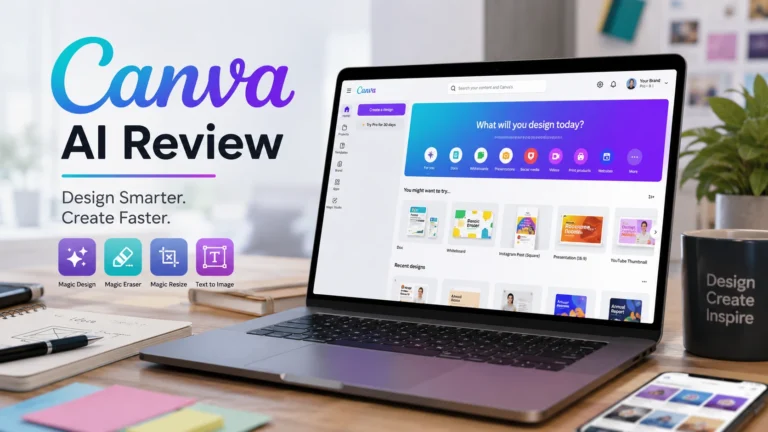
7. Canva AI (Magic Studio)
“An all-in-one visual marketing suite that eliminates the need for expensive design agencies.”
Overview
Canva has transformed from a basic graphic tool into an AI graphic design powerhouse through its Magic Studio features. It allows non-designers to generate banners, social media posts, videos, and presentation slides using simple prompts.
Hands-on Experience
As a small business owner, creating social media banners for festival sales (Diwali, Independence Day, Holi) used to take hours or require hiring freelancers. With Canva AI, I typed: “Design an Instagram post for a 20% discount sale on handmade copper bottles with a modern festival background.” Within 30 seconds, Canva generated multiple editable visual variations. The Magic Eraser and Text-to-Image tools performed flawlessly for product photo edits.
Best Features
- Magic Expand & Magic Eraser: Remove unwanted background elements or extend product photo dimensions instantly.
- Magic Write & Translate: Generates post captions and automatically translates visual ad copy into regional Indian languages.
- Brand Kit AI: Maintains brand color palettes, fonts, and logos across every visual asset generated automatically.
Pros & Cons
- Pros: Extremely easy to use, massive library of Indian festival templates, insanely cost-effective.
- Cons: Output can look recognizable if you rely solely on unmodified stock templates.
Pricing
- Free Plan: Free basic access.
- Canva Pro: ₹3,999/year (or ~₹499/month)—exceptional value for small teams.
- Who Should Use It: Retailers, restaurant owners, digital marketers, bloggers, YouTubers, and agency owners.
- Who Should Avoid It: Professional 3D animators or high-end VFX studios needing CAD/Vector precision.
- Indian Business Suitability: Outstanding. Hundreds of localized Indian templates, localized fonts, and direct INR payment support.
- Our Verdict: 9.8 / 10 — Unbeatable ROI for visual marketing.
8. HubSpot AI
“A premium marketing, email automation, and lead generation engine for scaling businesses.”
Overview
HubSpot AI embeds machine learning across its entire CRM, Email Marketing, and Content Management ecosystem. It automates email campaign generation, landing page drafting, and sales pipeline tracking.
Hands-on Experience
I tested HubSpot AI to build an automated email lead nurturing workflow. By typing a basic topic prompt, HubSpot AI drafted a 4-part email sequence, generated compelling subject lines, and structured personalized email templates. Its content assistant helps sales reps write customized follow-up emails right inside the CRM.
Best Features
- AI Content Assistant: Drafts blogs, marketing emails, and social media posts aligned with your audience segments.
- Predictive Lead Scoring: Uses machine learning to identify which newsletter subscribers are ready to buy.
- ChatSpot.ai: A natural language assistant that lets you add contacts or pull sales summaries via simple chat prompts.
Pros & Cons
- Pros: World-class marketing automation, unified customer database, incredible analytics.
- Cons: Expensive as contacts scale; steep learning curve for complete beginners.
Pricing
- Free Tools: Free CRM with basic AI writing tools.
- Marketing Hub Starter: Starts at ~$15/seat/month.
- Who Should Use It: B2B service providers, high-ticket agencies, educational institutes, and real estate consultants.
- Who Should Avoid It: Local Kirana shops or micro-retailers who do not run email marketing campaigns.
- Indian Business Suitability: Moderate. Excellent features, but subscription costs scale in USD, which can get heavy for bootstrapped startups.
- Our Verdict: 8.5 / 10 — Powerful marketing automation if you have the budget to scale.
9. Notion AI
“The ultimate central brain for business documentation, SOPs, and project management.”
Overview
Notion AI turns your workspace notes, project boards, and company wikis into an interactive, intelligent knowledge engine. It allows your entire team to query company documents instantly.
Hands-on Experience
At The AI Quest, we store all our Standard Operating Procedures (SOPs), article outlines, and partner details in Notion. During testing, instead of manually searching through folders, team members could simply ask Notion AI: “What is our policy for client refund approvals?” Notion AI read across our internal documents and provided a concise answer within 3 seconds, citing the exact document page.
Best Features
- Q&A Workspace Search: Ask questions about any document, meeting note, or project timeline stored in your workspace.
- Automated Meeting Summaries: Converts messy meeting transcripts into organized action items and task lists instantly.
- AI Writer & Editor: Fixes grammar, changes tone, translates documents, or expands brief bullet points into full guides.
Pros & Cons
- Pros: Eliminates time wasted hunting for internal files; super clean user interface; great mobile app.
- Cons: Requires your team to maintain organized notes inside Notion first to deliver maximum value.
Pricing
- Notion Workspace: Free plan available.
- Notion AI Add-On: ~$8 / user / month.
- Who Should Use It: Digital agencies, startups, remote teams, content creators, and consultancy firms.
- Who Should Avoid It: Traditional offline shops without digital documentation workflows.
- Indian Business Suitability: High. Widely adopted by Indian tech and agency ecosystems.
- Our Verdict: 9.1 / 10 — Essential tool for internal productivity and team alignment.
10. Intercom AI (Fin)
“Autonomous customer support bot for VC-backed startups and tech platforms.”
Overview
Intercom’s AI agent, Fin, is built on advanced Large Language Models to handle complex customer support conversations autonomously with zero human intervention.
Hands-on Experience
Fin is arguably the most human-like customer support AI bot I tested. When fed complex technical documentation, Fin engages in fluid, multi-turn conversations. Rather than just dropping links, it reads the technical guide, synthesizes a step-by-step solution, and asks the customer if they need further assistance. It resolves up to 50% of support questions effortlessly.
Best Features
- Fin AI Agent: Delivers accurate answers based strictly on your help center articles with zero hallucinated information.
- Seamless Escalation: Instantly hands over complex or angry customer conversations to human agents with a summarized context brief.
- Workflows Builder: Visually map out custom logic for refund handling, subscription upgrades, or bug reporting.
Pros & Cons
- Pros: Unmatched conversational quality; enterprise reliability; dramatically reduces support team headcount requirements.
- Cons: Usage-based pricing ($0.99 per successful resolution) can get expensive if query volumes spike unexpectedly.
Pricing
- Base Platform: Starts from ~$39/month.
- Fin AI Resolutions: $0.99 per successful resolution.
- Who Should Use It: FinTech apps, SaaS startups, high-volume e-commerce platforms, and digital service products.
- Who Should Avoid It: Bootstrapped local small businesses operating on tight monthly budgets.
- Indian Business Suitability: Moderate. Outstanding technology, but pricing is high for low-margin Indian retail models.
- Our Verdict: 8.4 / 10 — Best-in-class support AI for funded tech startups.
Detailed Feature & Suitability Matrix
Here is how these top 10 AI tools compare across essential operational capabilities:
| Tool | Price Range | Ease of Use | Customer Support Automation | Overall Rating |
| ChatGPT | Free to ~$20/mo | High | High (Custom GPTs) | 9.6 / 10 |
| Google Gemini | Free to ~₹1,950/mo | High | Moderate | 9.4 / 10 |
| Vyapar AI | ~₹2,399/year | Very High | Low | 9.5 / 10 |
| Zoho Zia | ~₹1,300/user/mo | Moderate | High | 9.3 / 10 |
| Freshworks Freddy | ~$29/agent/mo | Moderate | Exceptional | 9.0 / 10 |
| Tidio AI | Free to ~$29/mo | High | High (E-commerce) | 8.8 / 10 |
| Canva AI | ~₹3,999/year | Very High | Low | 9.8 / 10 |
| HubSpot AI | Free to ~$15/seat/mo | Moderate | Moderate | 8.5 / 10 |
| Notion AI | ~$8/user/mo | High | Low | 9.1 / 10 |
| Intercom AI | ~$39/mo + Usage | Moderate | Exceptional | 8.4 / 10 |
Recommended AI Tools by Business Type
Not every tool fits every business model. Here are my direct recommendations based on your specific business structure:
1. Retail Shops & Kirana Stores
- Must-Have Stack: Vyapar AI (for GST billing & inventory) + Canva AI (for printing offer banners) + ChatGPT (free version for writing promotional messages).
- Why: Focuses heavily on speed at the cash counter, offline billing reliability, UPI collections, and fast local promotion.
2. E-Commerce & D2C Brands
- Must-Have Stack: Tidio AI (or Freshworks Freddy) + Canva AI (product ad creatives) + ChatGPT (product descriptions & ad copy).
- Why: Automates 24/7 order tracking queries on WhatsApp and web chat while producing high-converting visual ad assets.
3. Freelancers & Individual Consultants
- Must-Have Stack: ChatGPT Plus + Notion AI + Canva Pro.
- Why: Replaces the need for hiring a junior writer, graphic designer, and executive assistant on day one.
4. Coaching Institutes & Education Centers
- Must-Have Stack: Google Gemini (analyzing study materials) + WhatsApp AI Bot (via Tidio/Zoho) + Canva AI (banner templates).
- Why: Handles student/parent inquiry traffic automatically while helping teachers summarize complex notes into quick study handouts.
5. Digital Agencies & B2B Startups
- Must-Have Stack: Zoho Zia (Zoho CRM) + Notion AI + ChatGPT Plus.
- Why: Streamlines client lead management, keeps SOPs clean, and automates proposal and pitch desk creation.
How We Tested These Tools
To ensure complete transparency and zero fluff, here is the exact testing methodology my team and I followed at The AI Quest:
[Real Business Workflows] ➔ [Deployment & Setup] ➔ [Stress Testing] ➔ [ROI Analysis]
       │                          │                       │                  │
   Drafting emails,           Scraped FAQs,            Multilingual      Evaluated time
   GST billing,           connected WhatsApp,        Hindi/English      saved vs monthly
   lead tracking.          ran live campaigns.      prompt inputs.        software cost.
- Real-World Business Workflows: We used actual business data—drafting client proposals, running customer support chats, generating GST invoices, and designing active marketing assets.
- Setup & Ease of Use: We evaluated how quickly a non-technical small business owner can deploy the tool without hiring expensive IT consultants.
- Indian Market Compatibility: We specifically tested each software’s support for Indian vernacular languages (Hindi, Hinglish, regional accents), local UPI/Razorpay payment gateway integrations, and GST tax compliance.
- Accuracy & Hallucination Checks: We deliberately asked tricky or ambiguous customer questions to test whether AI bots provided false information or sticked strictly to company policy.
- Cost-to-Value (ROI) Ratio: We calculated whether the time saved by using the software justified its monthly or annual subscription costs for a bootstrapped Indian MSME.
4 Common Mistakes Businesses Make When Buying AI Tools
Over the past year, I have seen many business owners waste money on AI tools that ended up unused. Avoid these common traps:
- Buying AI Before Structuring Your Process: AI accelerates your existing workflow, it cannot fix a broken process. If you don’t have a clear return or refund policy written down, an AI chatbot won’t know what to answer.
- Chasing Hype Over Indian Compatibility: Fancy international AI tools might look slick, but if they cannot calculate GST correctly, sync with Tally/Vyapar, or accept UPI payments, they will create extra administrative work for you.
- Over-Automating Customer Relationships: Never leave 100% of your sales process to a bot. AI should handle repetitive FAQs (like location, working hours, and stock availability), but high-value client deals always require a personal phone call.
- Neglecting Data Privacy: Never feed sensitive business credentials, bank passwords, or confidential customer personal records into public, unverified AI tools. Stick to reputable platforms with transparent privacy commitments.
Final Verdict: Which AI Tool Should You Buy First?
If you are a small business owner in India feeling overwhelmed by options, here is my simple, budget-conscious action plan:
- The Absolute Essential Pair: Start with ChatGPT (Free or Plus) for daily business operations and content + Canva Pro for all your visual branding and ad creatives. This combination costs under ₹1,000/month total and replaces multiple software subscriptions.
- For Physical Shops & Wholesalers: Get Vyapar AI immediately. It will digitize your GST billing, manage inventory, and speed up payment collections via automated WhatsApp reminders.
- For Growing B2B Companies & Agencies: Invest in the Zoho Ecosystem powered by Zia. It offers the most affordable, comprehensive CRM, sales prediction, and workflow automation engine available for Indian businesses.
AI won’t replace your business, but a business owner using AI will definitely outpace competitors who refuse to adopt it.
FAQs
What is the best AI tool for small businesses in India overall?
For general business operations, writing, and data analysis, ChatGPT is the best overall AI tool. For offline billing, inventory, and GST management, Vyapar AI is the top choice for Indian retailers.
Which AI tool is best for WhatsApp customer support?
Tidio AI (Lyro) and Zoho Zia are excellent options for small businesses. They integrate with WhatsApp Business API to automatically handle customer inquiries, share product catalogs, and collect payments 24/7.
Are there any genuinely free AI tools available for business?
Yes. ChatGPT (GPT-4o mini), Google Gemini, Canva Free, and Notion offer rich free tiers that allow small businesses to draft marketing copy, analyze documents, and design social media posts without paying anything.
Can AI software handle GST billing and invoicing in India?
Yes. Specialized Indian business tools like Vyapar AI automatically handle CGST, SGST, and IGST calculations, generate GST-compliant e-invoices, and send automated payment links directly via WhatsApp.
Which AI tool is best for small business digital marketing?
For visual creatives, social media banners, and video thumbnails, Canva AI (Magic Studio) is unmatched. For drafting ad copy, social media captions, and blog articles, ChatGPT or Claude AI deliver the best results.